Connecting lives with ICHANGI app
The Situation
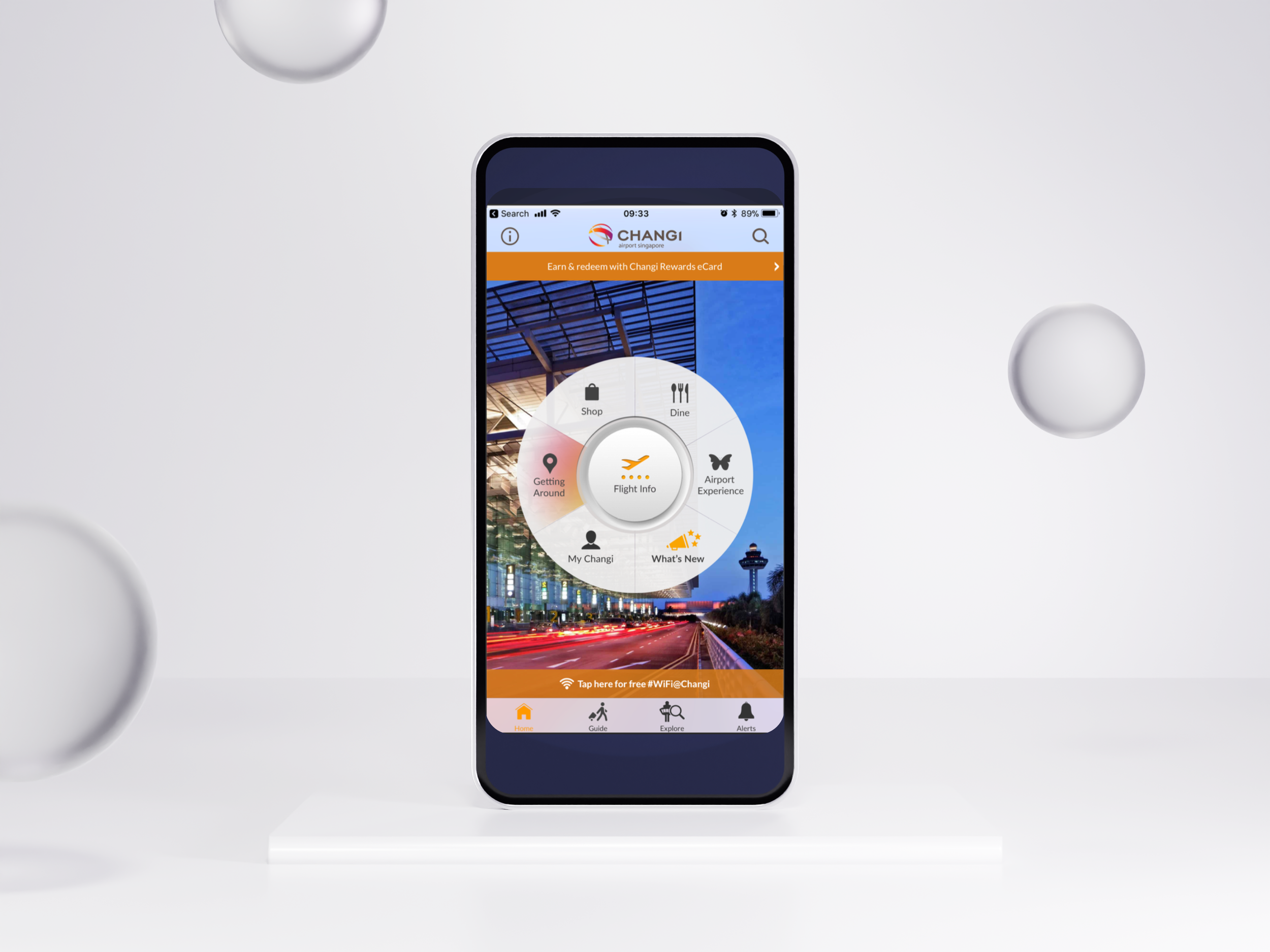
Changi’s brand promise and identity is expressed in its purpose of “Exceptional People, Connecting Lives”
Changi plays a “critical role in connecting people, business, and commerce on a daily basis and fulfilling the aspirations present in every journey”.
Introduce Changi not just as an airport, but also as a lifestyle brand for shopping, dining and entertainment.

The drawbacks
Main Frustrations:
• Cluttered User Interface (UI)
• Difficult to navigate
• Content overload
• Slow load time
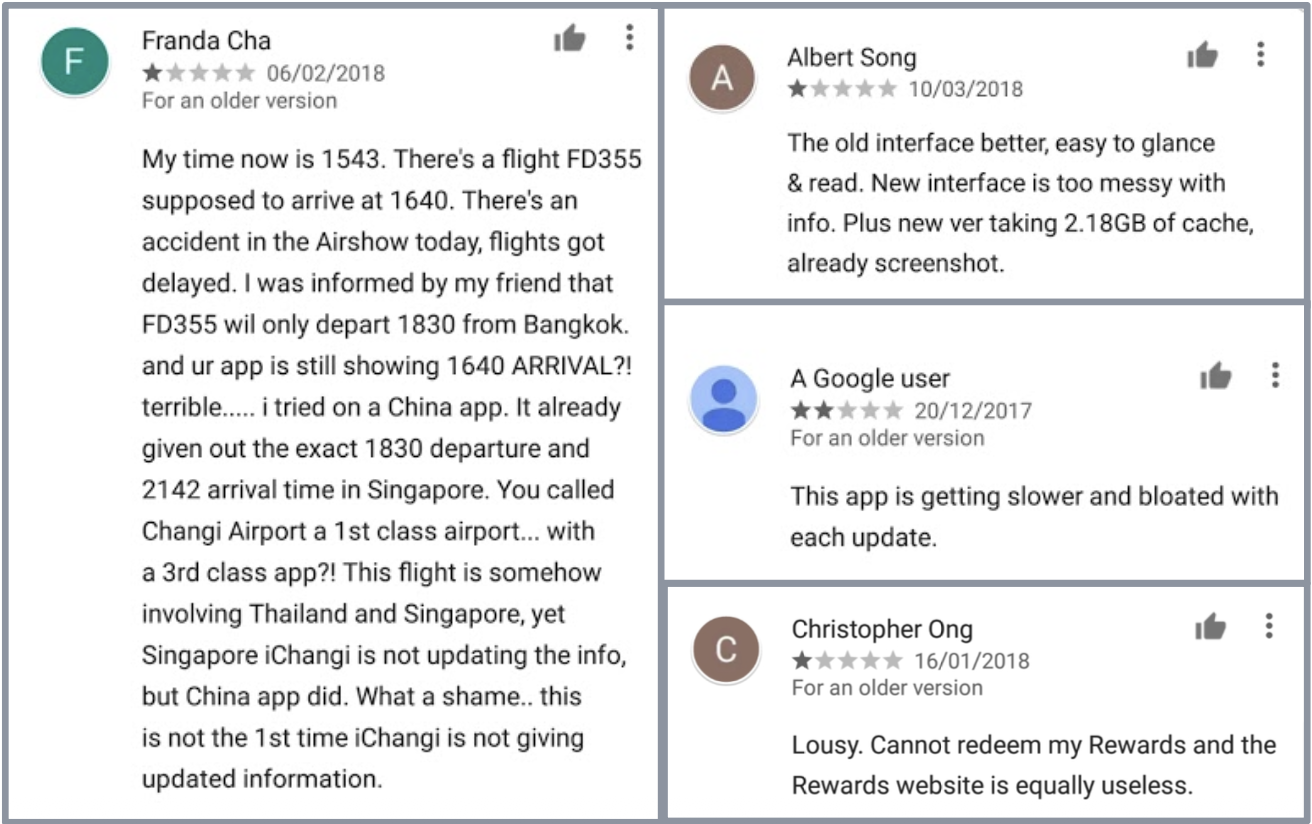
How might we design a customer-centric app for greater usability, efficiency and consistency?
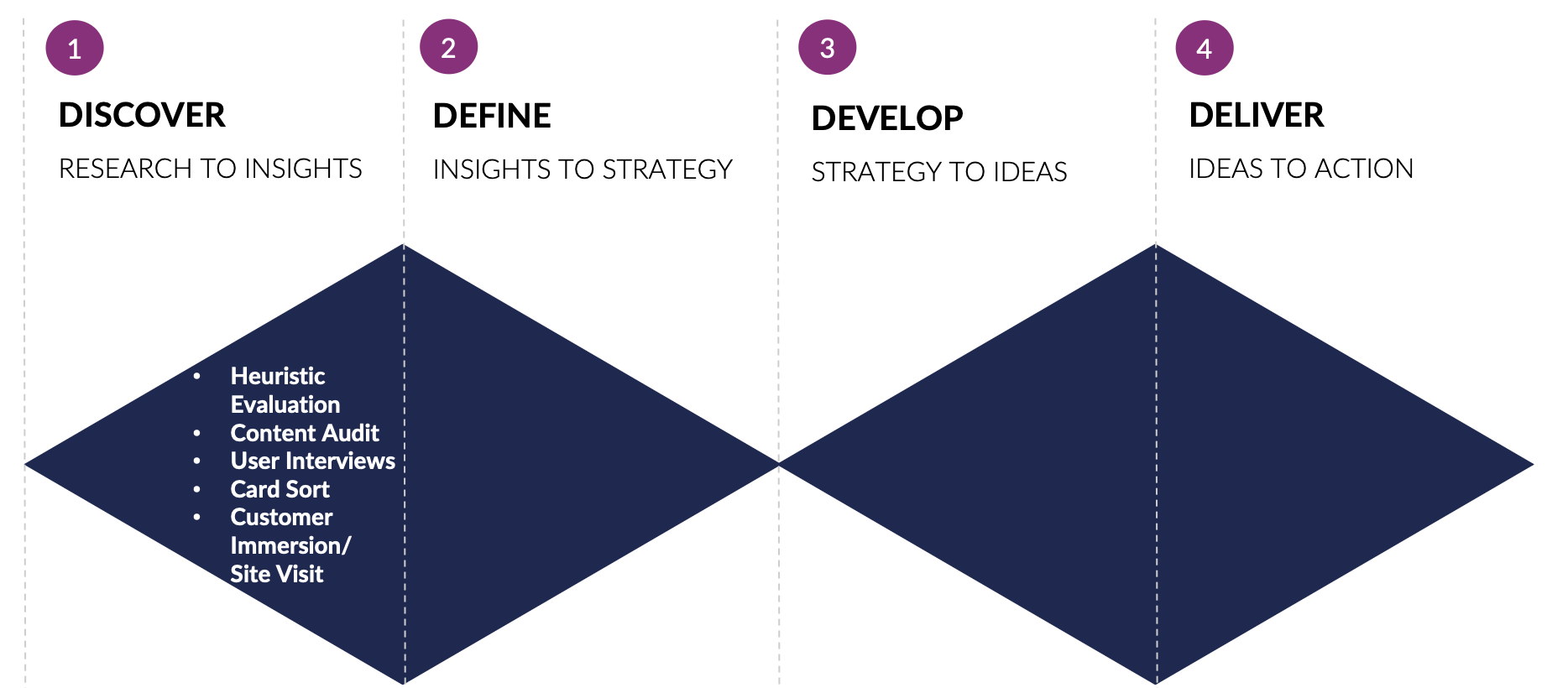
Our Design Sprint Phase I:
Discover
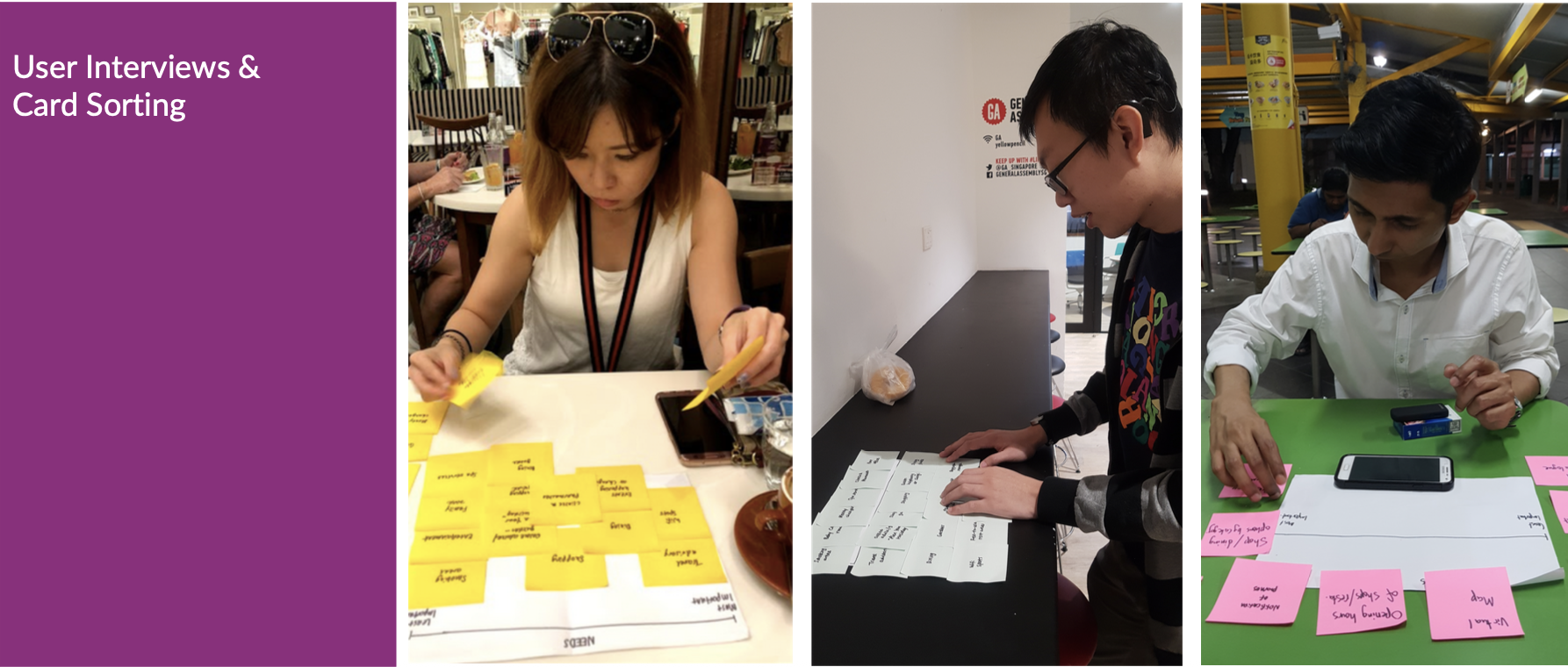
Understanding Users’ Needs
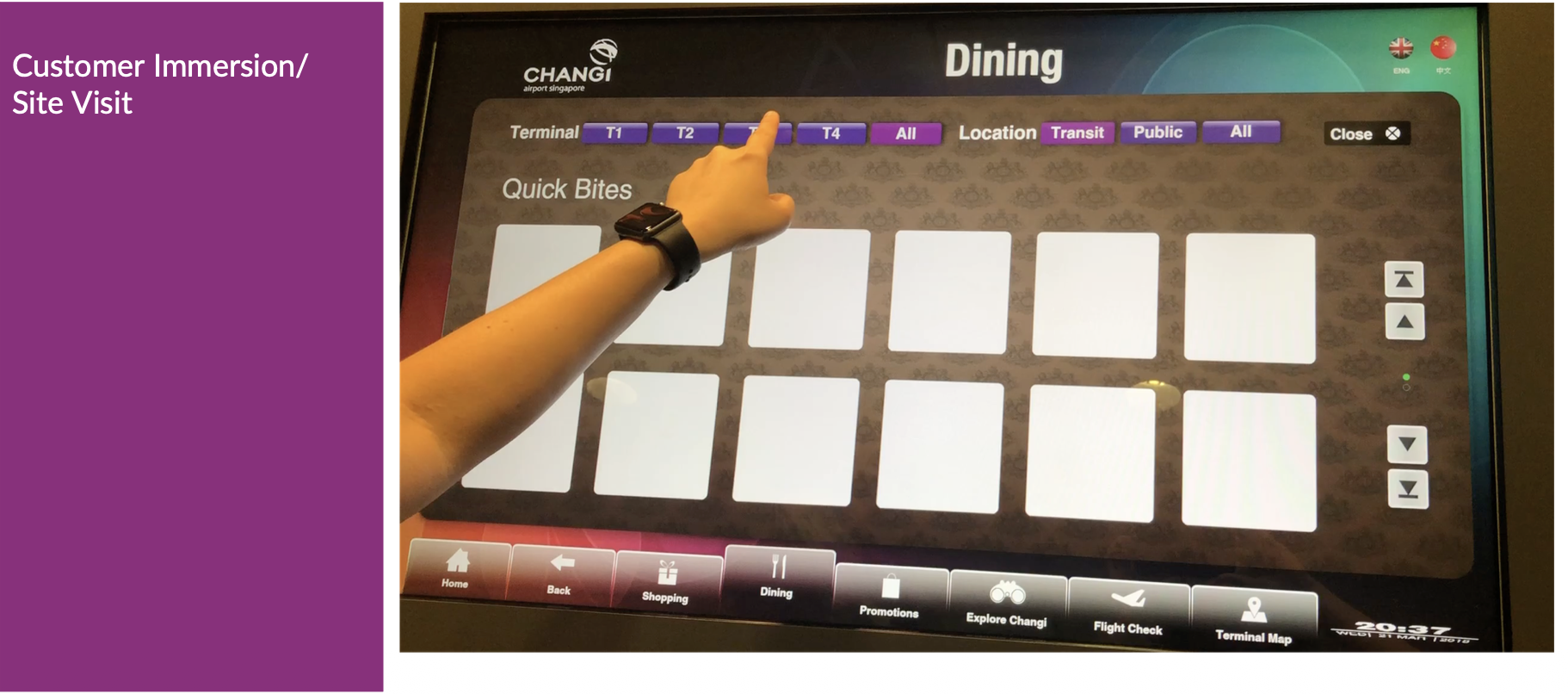
Immersing into Users’ Context of Use
Card sorting and way-finding methods
Our Design Sprint Phase II:
Define
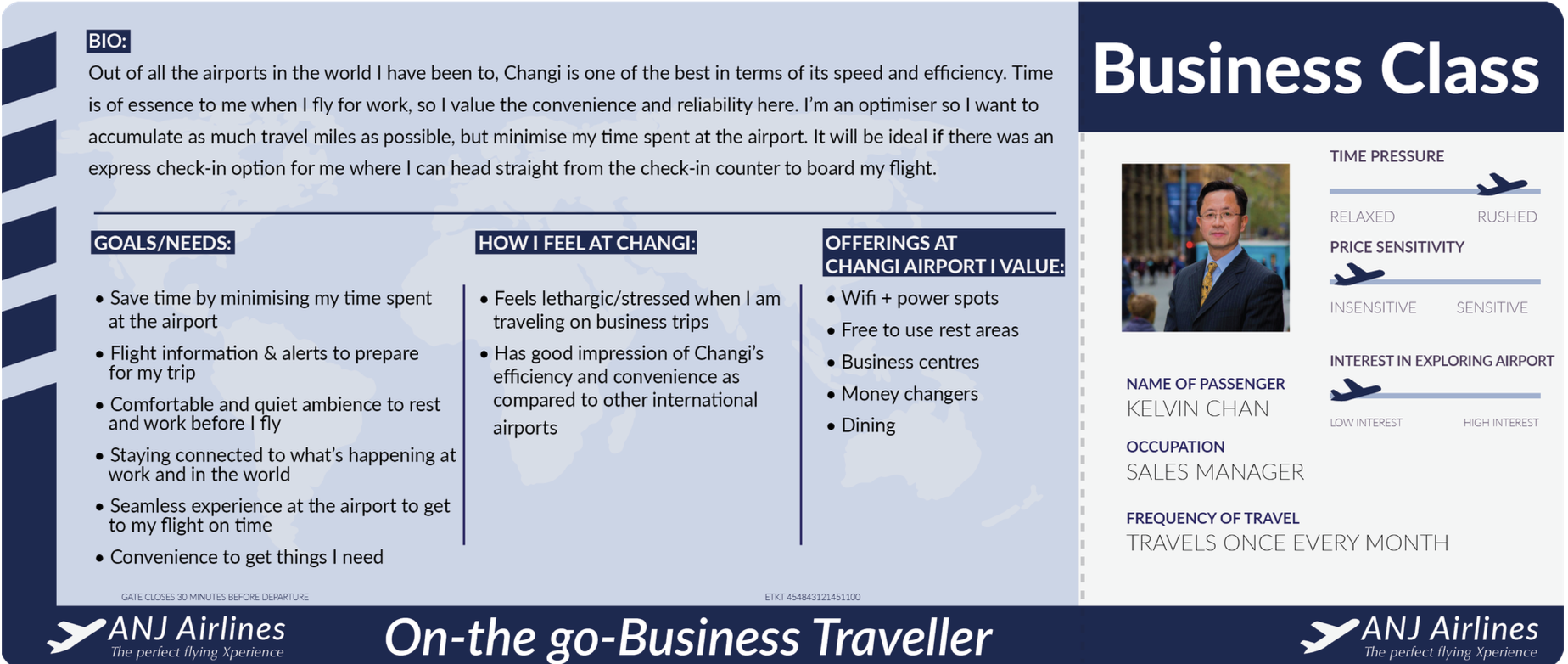
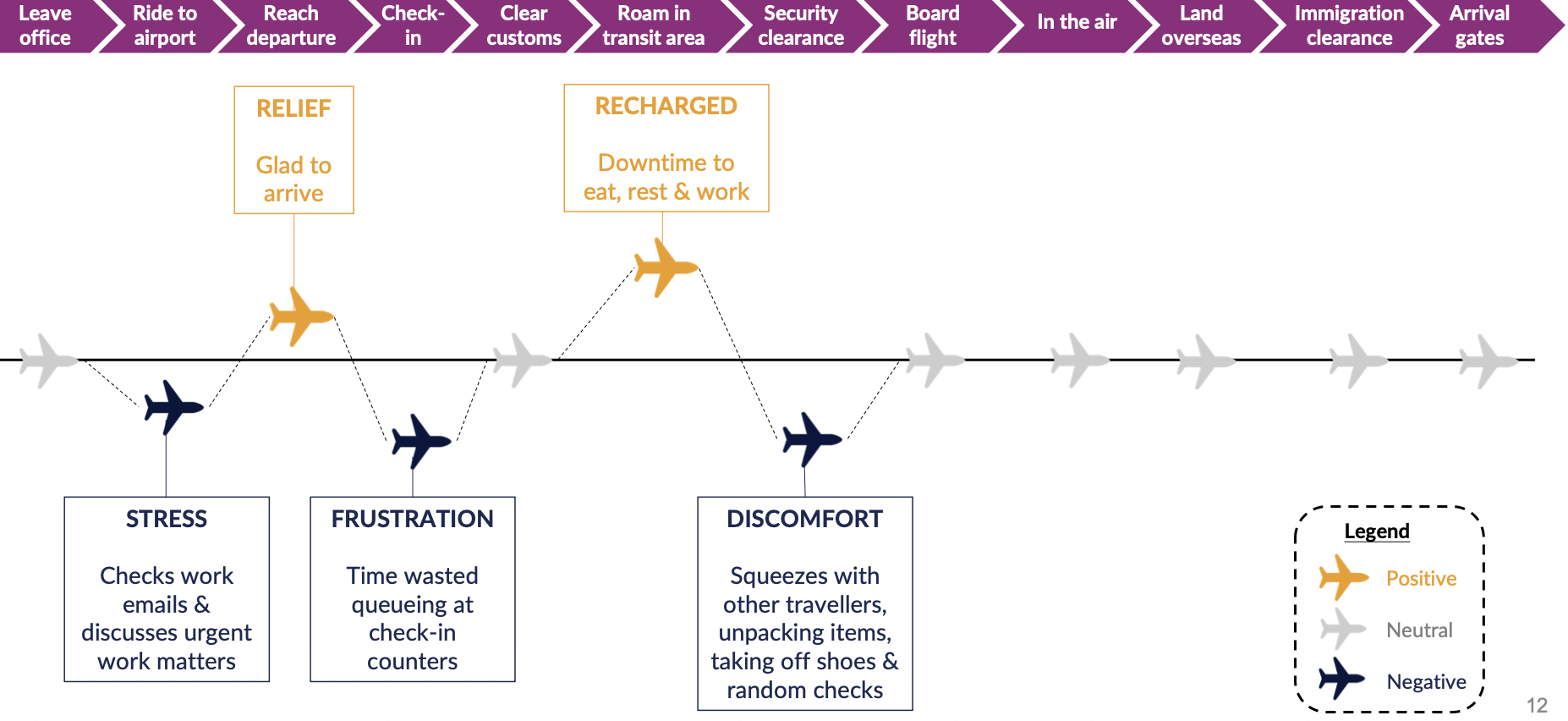
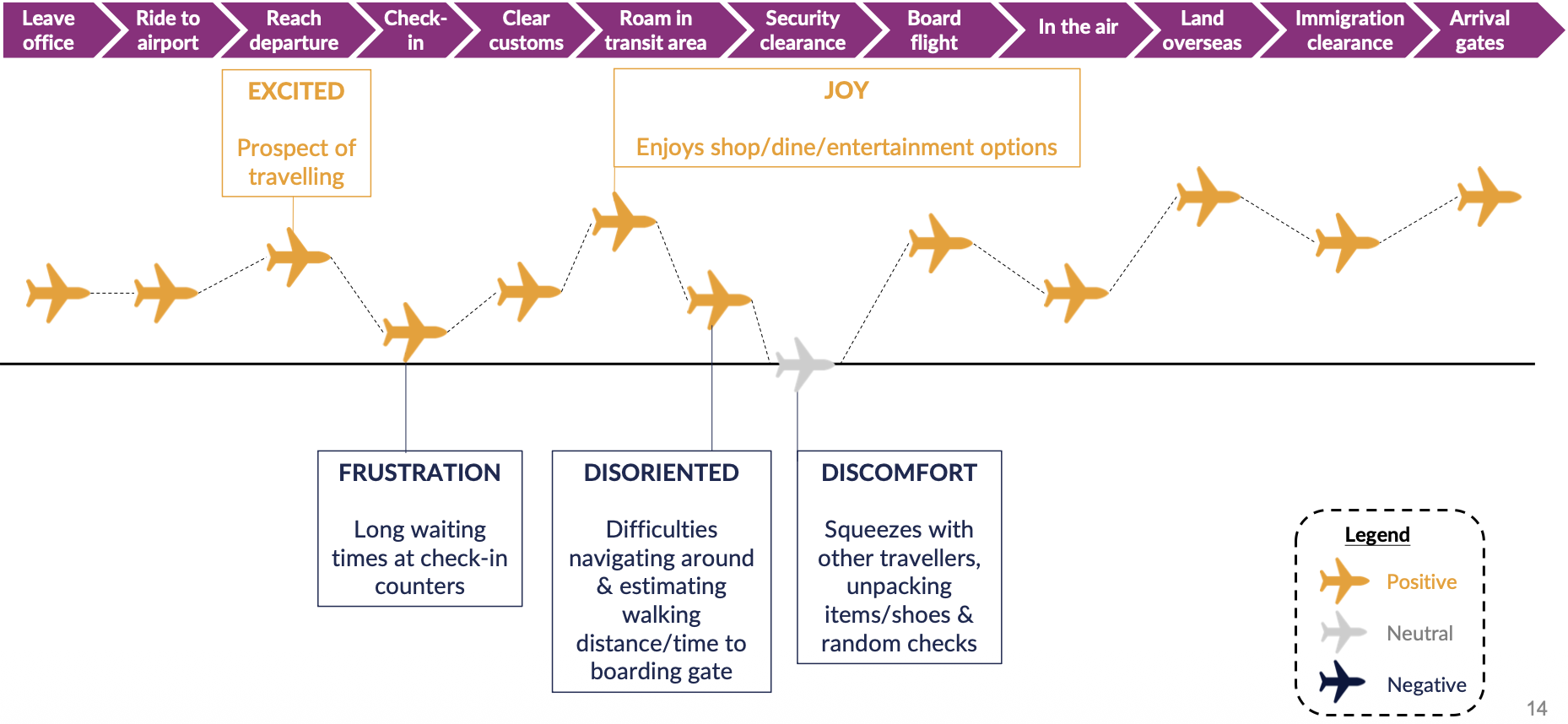
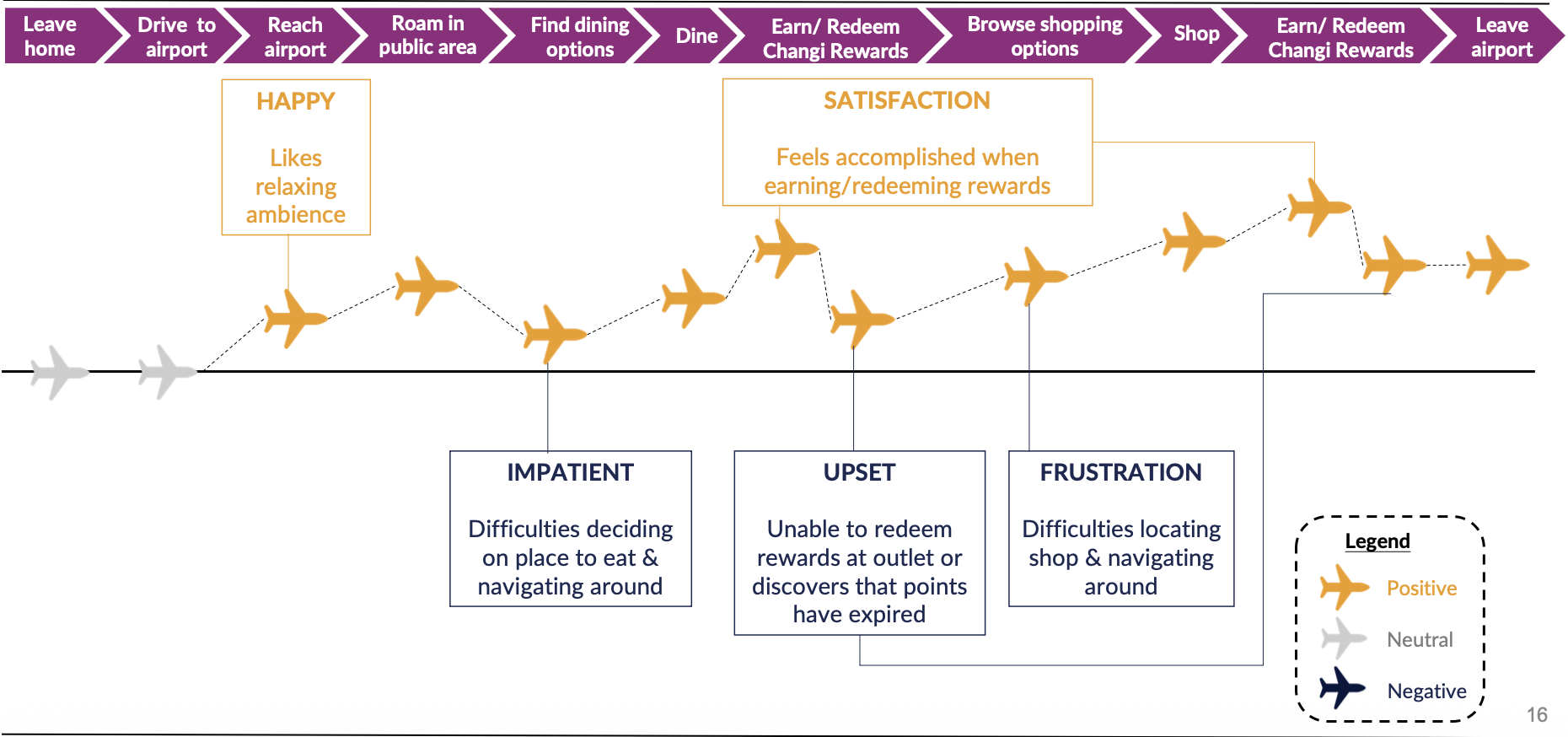
Creation of personas
User journey mappings
Persona 1
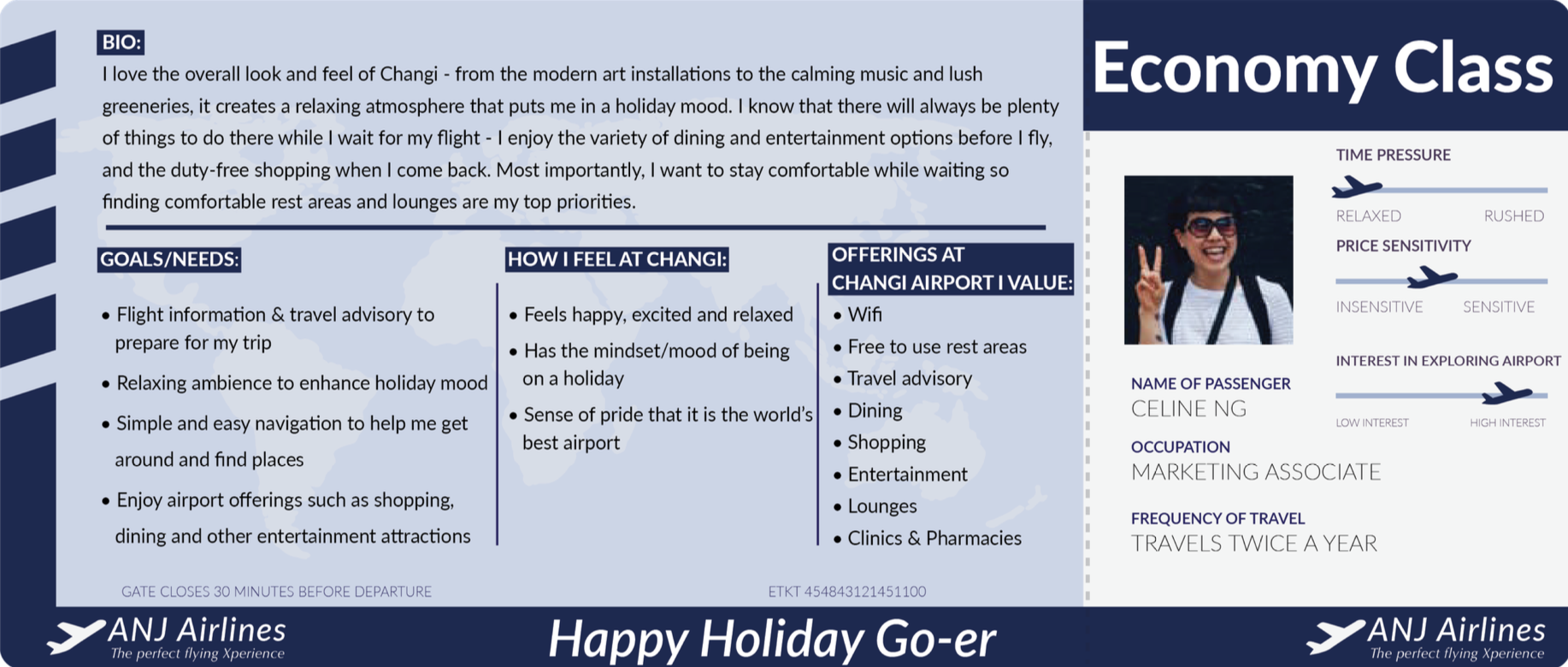
Persona 2
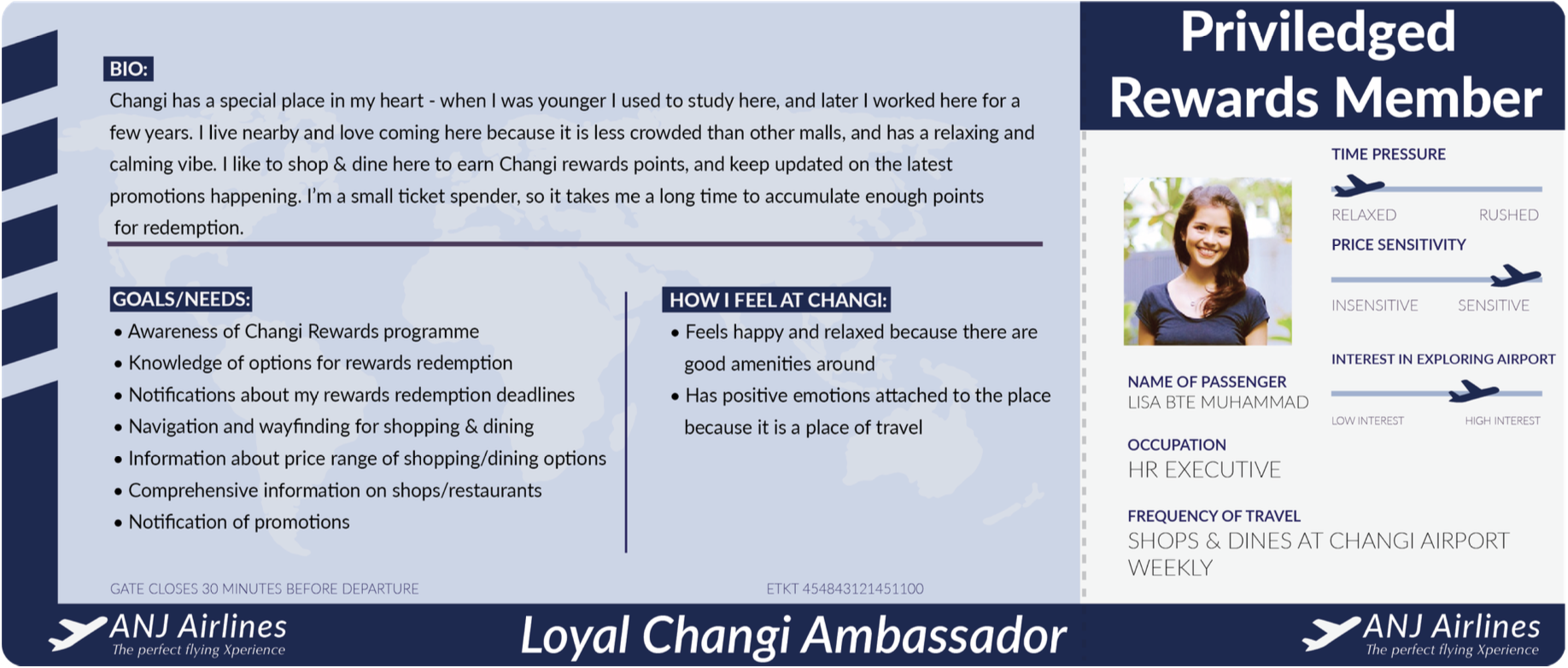
Persona 3
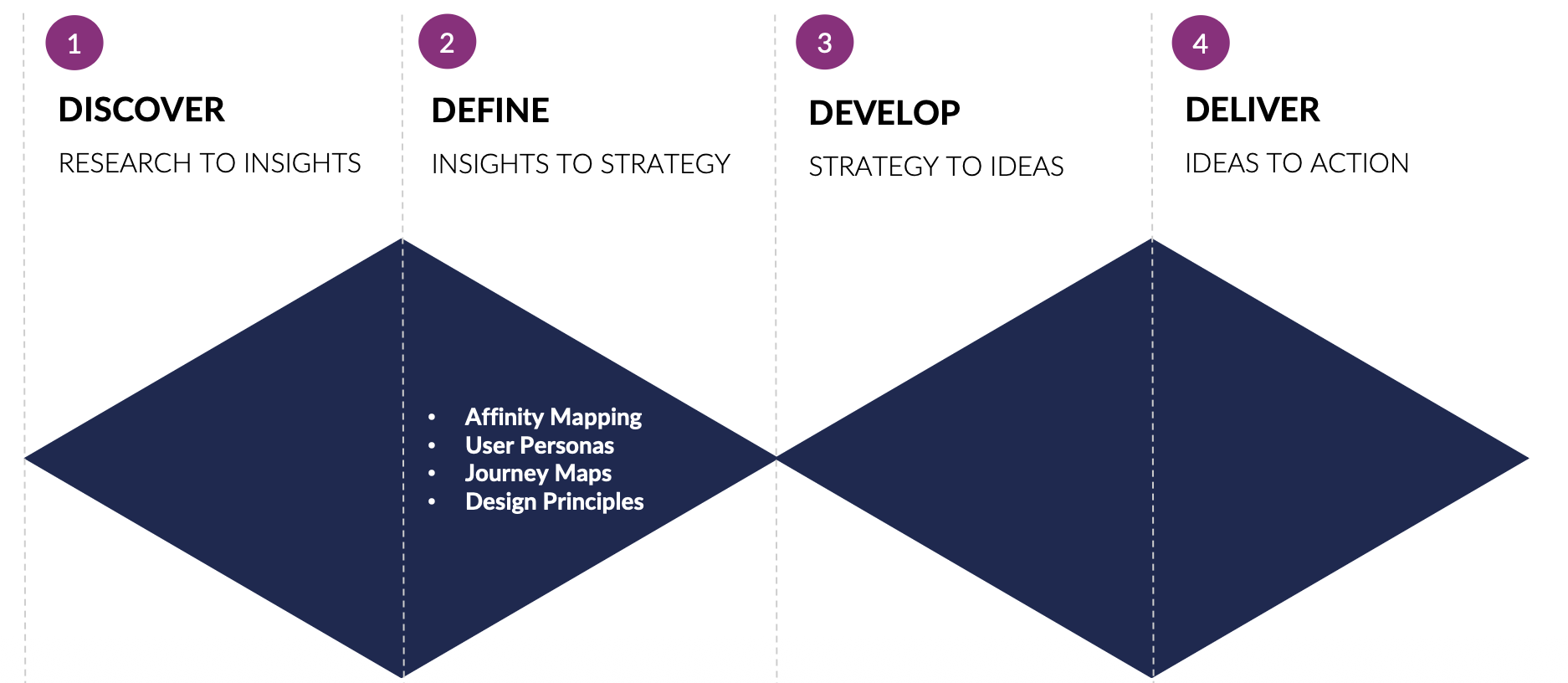
Our Design Sprint Phase III:
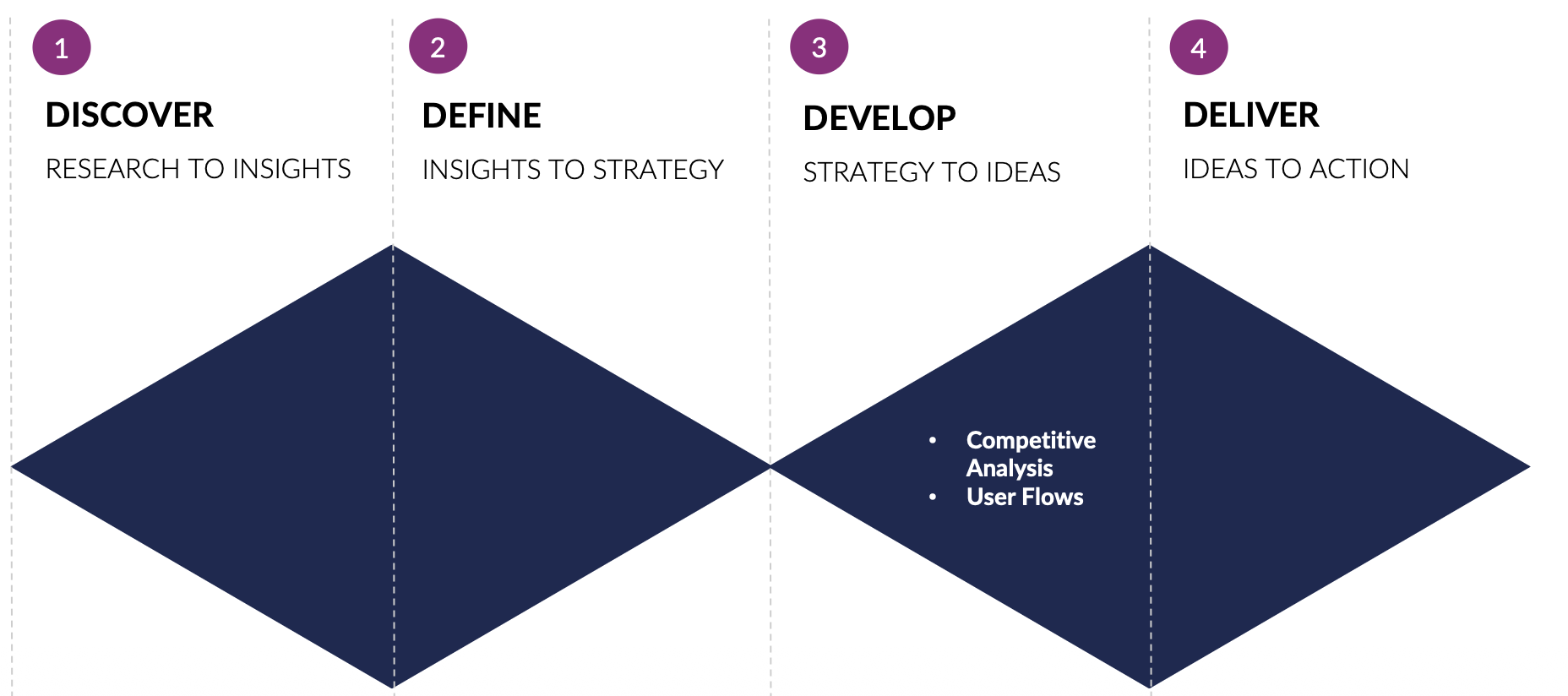
Develop
Enhancing iChangi App to Meet Users’ Needs
Building User Journeys for Greater Usability & Efficiency
Design improvisations
Flight info screens
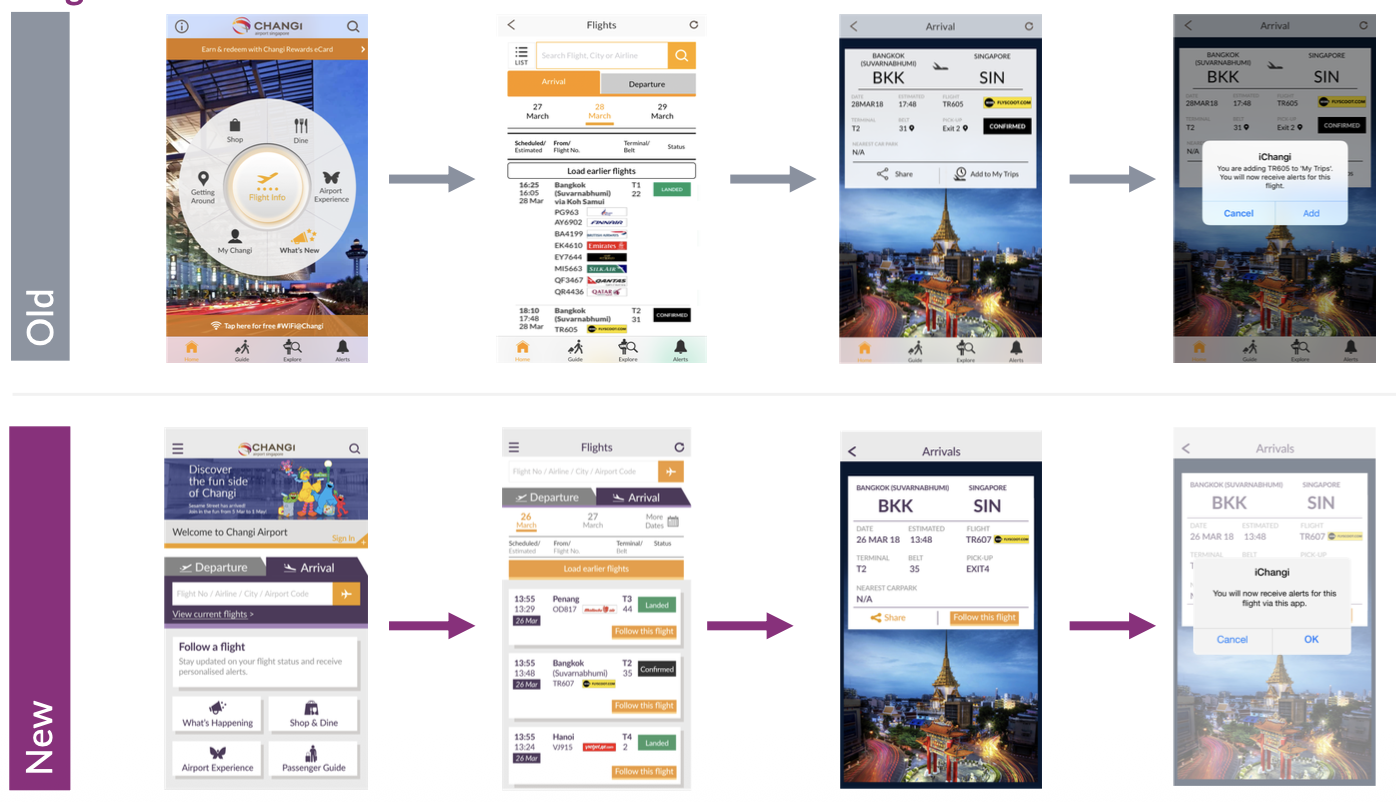
Feedbacks (Old)
Some users find it difficult to see Flight Info on Home
Some users are unaware that flight listings are clickable
Bottom nav bar is confusing
Feedbacks (New)
Some Focus on ‘Follow a Flight’ as Call To Action
Flight listings are displayed as affordances
Hamburger menu for navigation
Airport experience screens
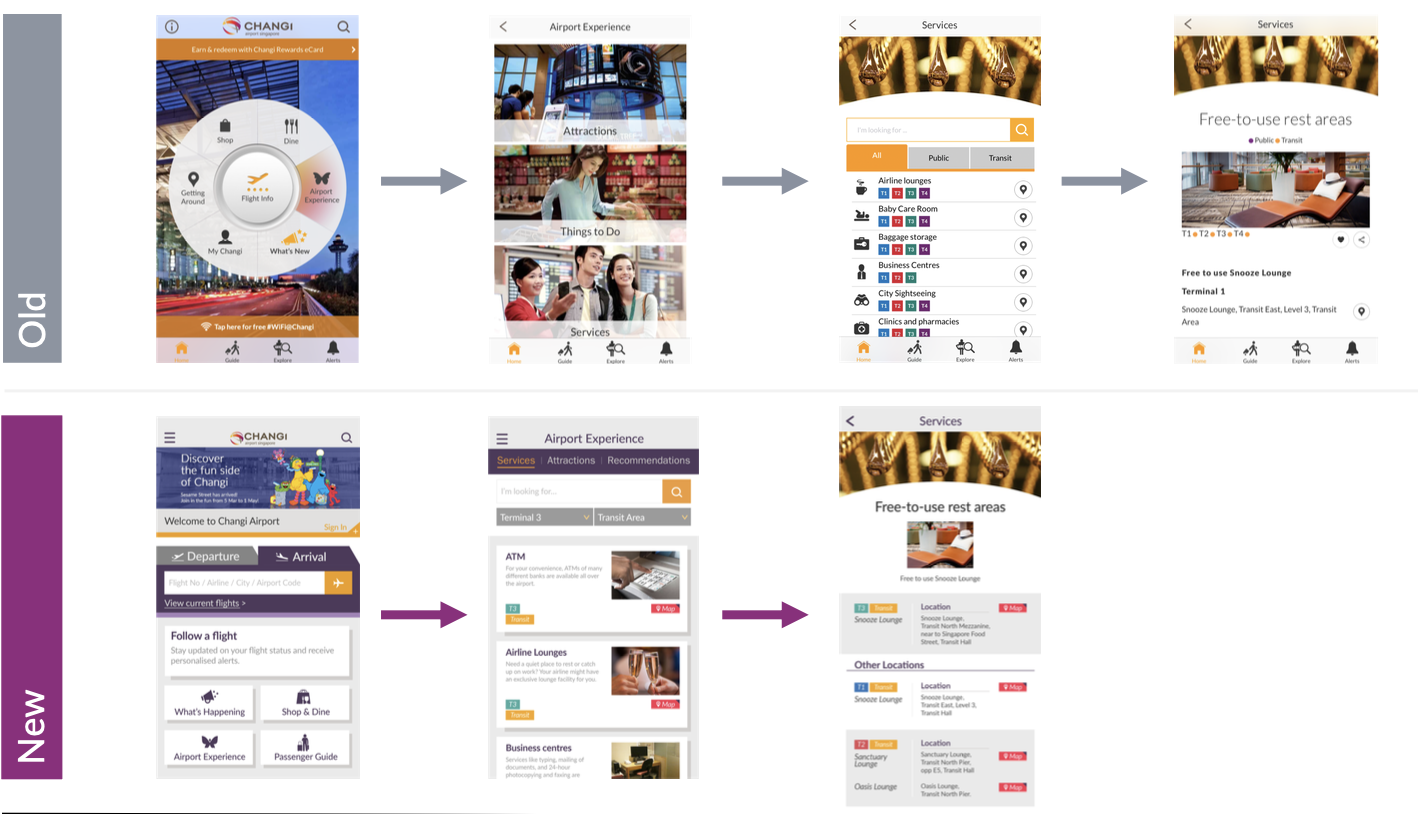
Feedbacks (Old)
Some users have no frame of reference of what the options are & need to click into each.
Icons are too close.
Some users are unaware that listings are clickable
Unable to sort by terminal
Feedbacks (New)
Users can stay withinthe screen & select from top nav bar
Clarity of listings with ample visual spacing
Listings are displayed as affordances
Sort by terminal first
Our Design Sprint Phase IV:
Deliver
Testing iChangi App Prototype
Refining iChangi App Prototype
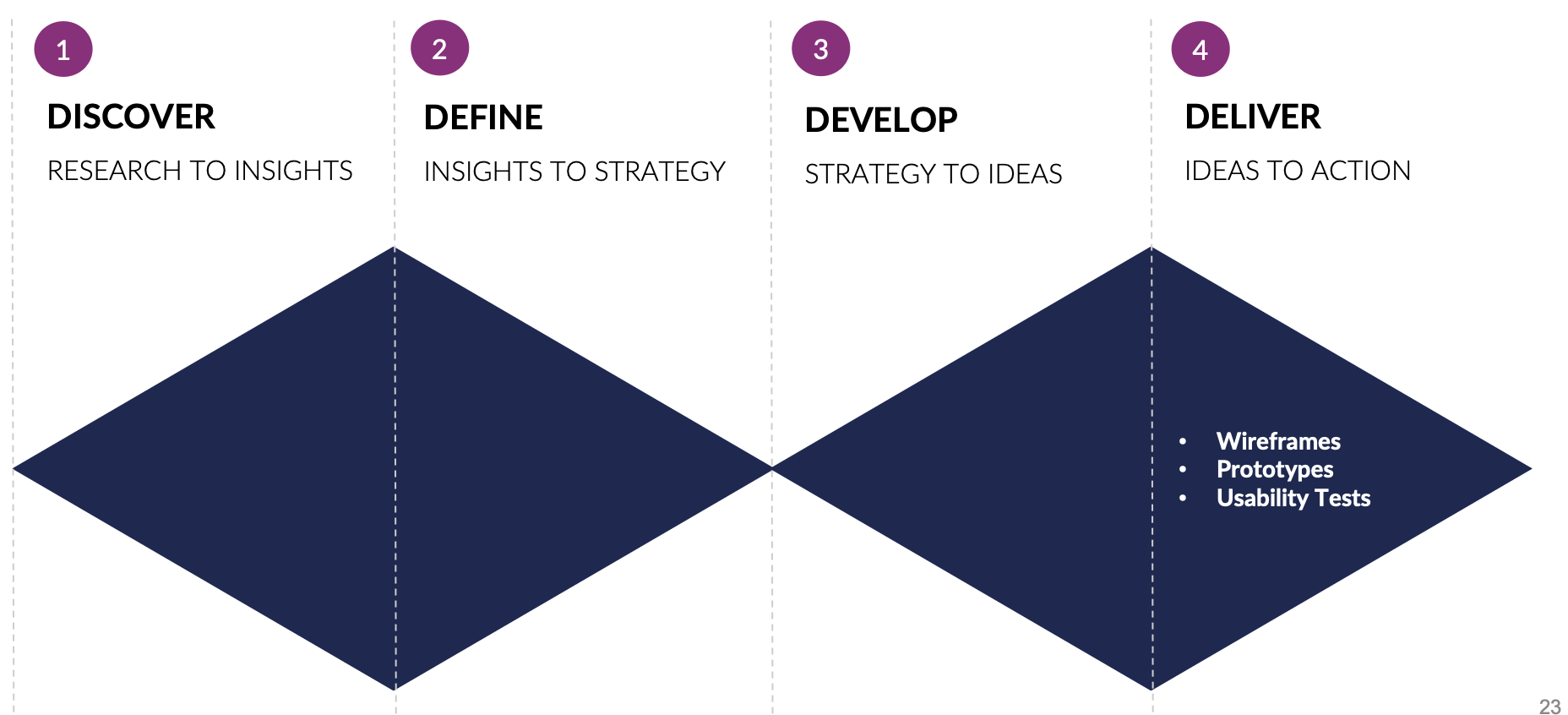
Tasks for Usability Testing (UT)
Find flight information & create flight alerts
Navigate directory for shopping & dining options, and learn about current promotions
Navigate the airport to locate services such as free-to-rest areas
Criteria for Success of Design
Is the design effective in helping users achieve their specified goals?
Is the design efficient in helping users achieve their specified goals with the best use of resources?
Are users satisfied with the app’s usability?
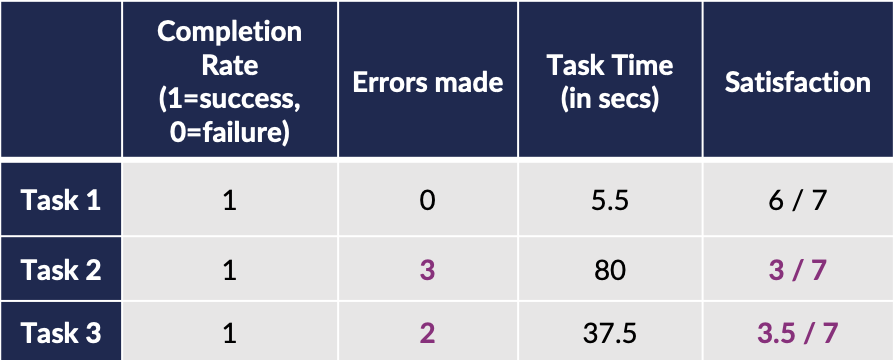
User testing results
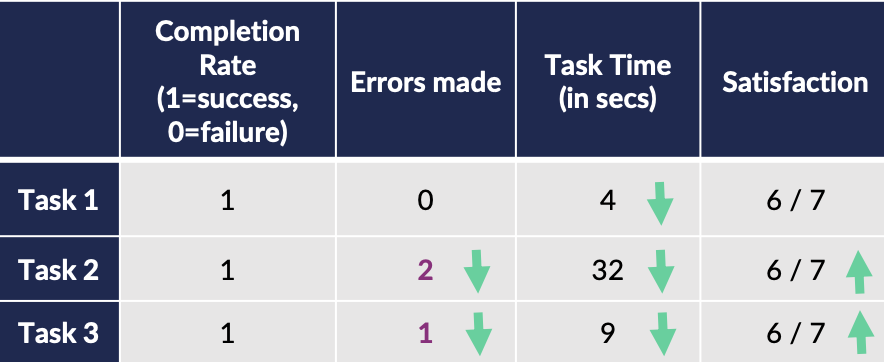
UT Round 1 Results (Average of 6 users )
Simplified Login page
Improved usability of Follow a Flight button
Top navigation bar made more visible
Restructured information hierarchy on shop details page
UT Round 2 Results (Average of 4 users )
Linked map to shop & dine listings
Included price range for shop & dine listings
Future roadmap
Design phase 1
Flight Information & Alerts
Shop & Dine Directory
Airport Experience
Design phase 2
Changi Rewards
Virtual Map features
Give estimated walking
distance & time
API Plug-ins (to receive data
from third-party sources)
Travel Advisory (with
Ministry of Foreign Affairs)
Sync Flight Itinerary (with
Gmail Inbox API)
Food Reviews (with
Burrple)
Travel Guides (with
Singapore Tourism Board)
Design phase 3
Chat-bot service with multiple
languages capabilities